
Every Scene has a Script and Action text row.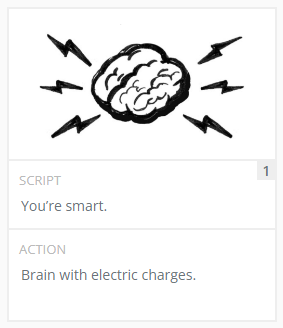
The Script row is typically where the narrative, or voice over, of your project would go.
The Action row is for descriptive notes, such as what movements or sounds will happen at this point in your project.
SCRIPT
Of course you can type your script directly inside of Plot, but it's common for users to have a finished Script created in other software. When inside a project, you can simply copy and paste your text into the first Scene or into the Script toolbar on the right to get started.
The Script row has three added features to make working on your storyboard easier:
- the text from all of your Script boxes will compile into the toolbar on the right, allowing you to review narrative text in one place,
- by placing the mouse cursor within a Script row or the Script toolbar and pressing the keyboard shortcut "Ctrl + Enter" you can instantly create a new scene, moving all script text to the right of the cursor inside the new scene,
- deleting a scene will not delete your Script text, instead it will move it to the previous scene.
ACTION
The Action row does not include any unexpected behaviors. It will remain attached to your Scene.
TUTORIAL
How to split your Script into scenes.
How to split your Script into scenes.
